How to increase the effectiveness of Google Shopping Ads: 12 effective tips
According to marketing research, around 60% of clicks on the Google search engine are on Google Shopping ads. In modern realities, Google AdWords shopping campaigns are an essential tool for conducting online advertising campaigns. They allow you to achieve a high conversion rate, significantly increase sales, and boost profits at an affordable cost. However, this is possible only with proper ad setup on Google.
To get the maximum return on every dollar spent on advertising, you should develop a strategy, accurately configure settings, and be able to optimize data in a timely manner. Let’s outline the main aspects and provide 12 effective tips to help increase the effectiveness of Google Shopping ads.
1. Optimizing the product feed
When optimizing campaigns, pay enough attention to filling out the product feed. When a potential customer enters their query in the search bar, the system’s algorithm checks for the presence of the relevant product/service in the data feed previously uploaded by the advertiser. If there is a match between the query and the offer, the customer sees the ad. Therefore, the campaign’s effectiveness directly depends on the correctness, accuracy, and informativeness of the feed.
To optimize the feed, pay attention to:
-
- Title: It should be unique, accurately match the user’s query and the product itself, and contain maximum information to cover more targets.
- Description: The text must be unique, informative, and engaging for the consumer, containing a maximum description of the offer with organically included keywords.
- Image: Ideally, the photo should be taken from multiple angles, be attractive, clear, and informative, without watermarks or unnecessary logos. If you have multiple photos, choose the best one as the main image.
- Links: They should be direct; avoid using redirects.
- Barcode: The search algorithm takes GTIN codes into account, so include them in the feed if possible.
Always check the products that Merchant Center has rejected and find out why. Keep the data up to date.
2. Product pricing
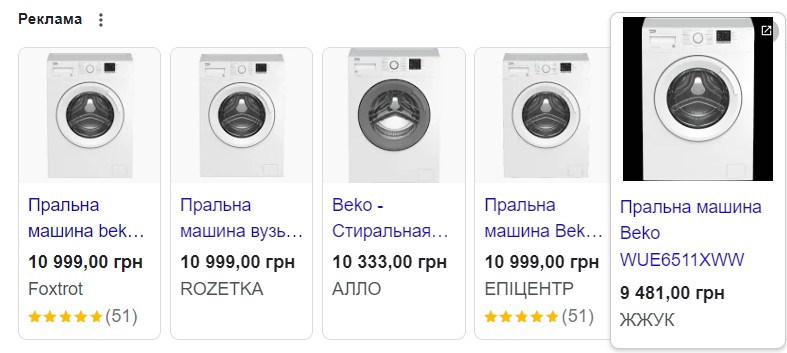
It’s no surprise that ads with lower prices always get more clicks than similar ones from competitors. Therefore, keep an eye on the market and competitors’ pricing strategies to stand out with attractive prices whenever possible. This advice is particularly relevant for owners with up to 100 items who can monitor and adjust prices manually.
It might seem that lowering prices will negatively affect profits. However, it’s important to understand that Google ads favor lower prices. Sometimes, reducing the price by 5% can increase the number of impressions by 50%. This means that conversion rates will significantly increase, and cheaper offers generate more traffic. Occasionally, it’s beneficial to experiment by lowering the price by a few percent and observing the results.
3. Optimizing product titles
Optimization of titles, word order, key queries, and information significantly impacts effectiveness. It is important to include the brand, main features, and most importantly, arrange keywords in the optimal order from the most frequent to the least frequent (frequency can be checked using Google Keyword Planner or third-party services like Ahrefs, Ubersuggest, Serpstat, etc.). Avoid overusing capital letters as it can be perceived as spam.
The word order affects the display. Although titles can be up to 150 characters long, Google Shopping often displays the first 70 characters, so the most important information should be at the beginning. The ideal word order varies for different types of products. For example, Google recommends the following sequence:
- Clothing: Brand name, gender, product type, features (color, size, material).
- Electronics: Brand, features, product type, model.
- Seasonal items: Event, product type, features, etc.

4. Using high-quality photos
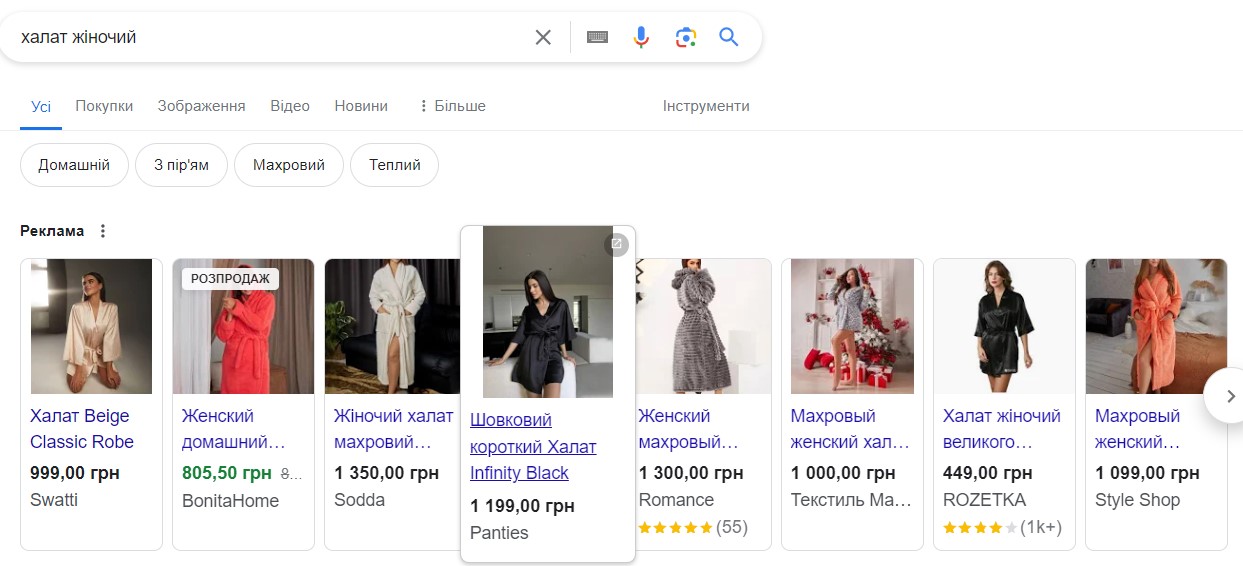
Images are the first thing a potential buyer sees. Google also imposes strict requirements on them. Show your product from different angles, but make it clear what you are offering with the first photo. All images must be clear, high-quality, and free from unnecessary marks or logos.
You can present your product visually in two ways: photos of real-life situations where the product is well-demonstrated, and photos of the product itself. The approach varies for each product type. For example, home clothing can be advertised in a studio with a cozy home interior, while a photo of a crankshaft or brake pads is better presented individually without any distractions.
5. Promotional offers
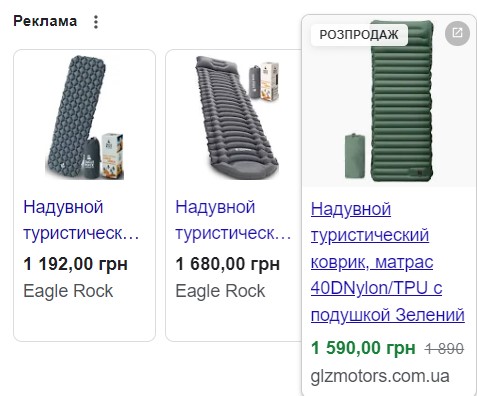
Attracting customers’ attention and encouraging them to make a purchase is possible through various techniques such as special offers, promotions, free shipping, gift coupons, etc. Consider the feasibility of seasonal temporary discounts and exclusive offers – these create a sense of urgency to buy.
Setting up Google Shopping promotional offers is possible through the “Marketing” menu in the account or by creating a promotion feed and specifying the sale price attribute. However, keep in mind that additional requirements must be met for discounts to appear in search results, as described in the Google help guide.
6. Negative keywords
If you are getting many clicks but few orders, you need to work on your list of negative keywords. Irrelevance reduces the profitability of any campaign. You can specify commonly used irrelevant negative keywords, such as “download,” “used,” “second-hand,” “essay,” “free,” which will automatically filter out irrelevant search queries. However, you should also determine unnecessary words for your specific topic by studying the search terms report.
7. Exclude competitors’ queries
Monitor the queries of your strong competitors and check the report to see if it makes sense to advertise for them as well. If you cannot compete with the major players in the market, spending your budget on impressions that won’t be profitable for you isn’t worth it.
8. Exclude generic queries
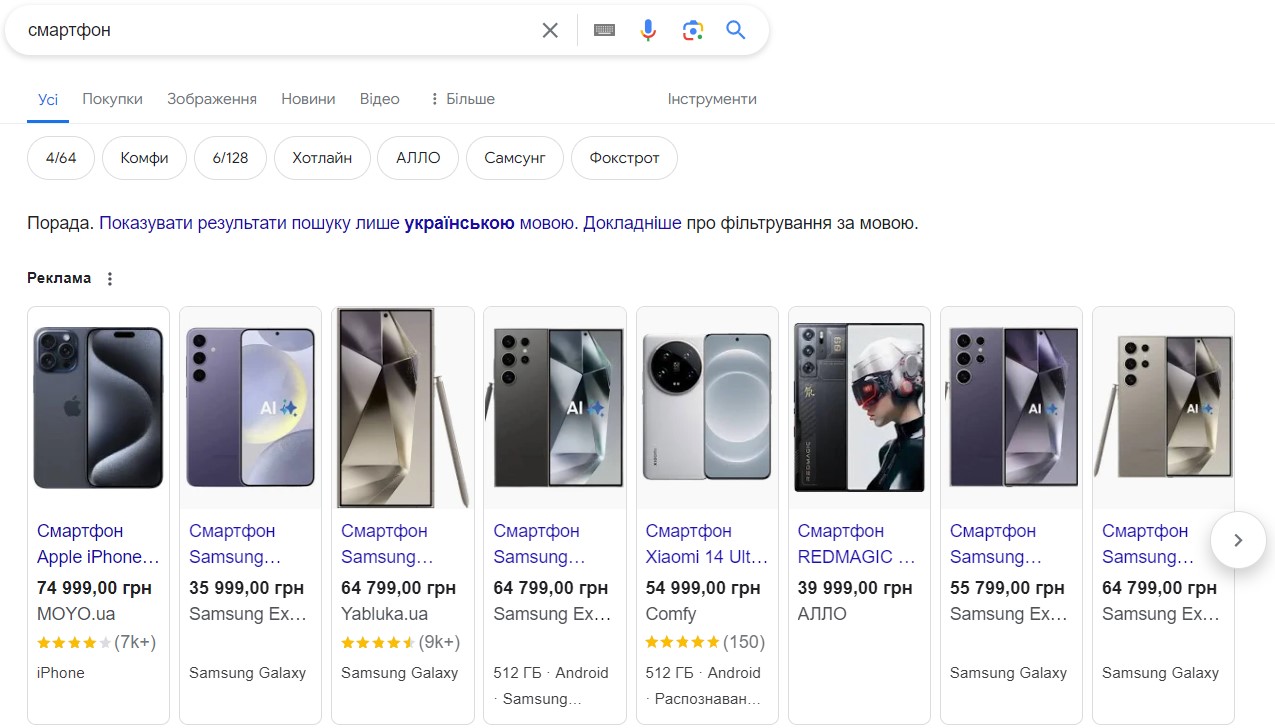
Avoid unnecessary impressions in Google Shopping for unwanted queries that clearly won’t be profitable for you by excluding generic queries. You can find them in the search terms report. These have a low click-through rate because they are too general and have a high search volume. They are high-frequency phrases but low in targeting. For example, “Apple iPhone” is a general query, while “buy iPhone 15 Pro” is more targeted.
“Smartphone” keyword
9. Product and site reviews
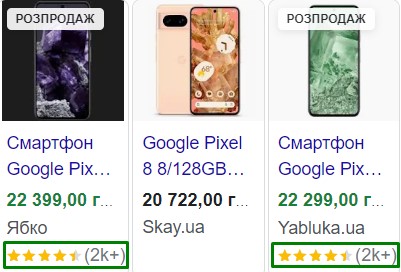
Integrating reviews into Google Shopping helps increase customer trust in the product and the seller. Reviews act as social proof of reliability, positively impacting conversion rates. Reviews with photos or videos are particularly effective and convincing. It’s important for sellers to respond to all reviews, especially negative ones, to demonstrate customer care and readiness to resolve issues.
10. Product color
Many customers specify the color of the product during their search to narrow down the results and achieve their desired outcome. Therefore, it’s worth trying this setting in Google ads – include popular, relevant, and in-demand colors in the titles.
If you have rare or unusual colors, it’s advisable to replace them with more commonly used ones. For example, instead of colors like champagne, ivory, coffee with milk, or ivory, simply use beige.

11. Advertising profitable products
It’s clear that some products are more popular, in-demand, and profitable, while others rarely sell. Which ones should you advertise when the budget is limited? The choice is obvious. Focus on products with high efficiency to maximize the return on investment.
Unprofitable products that should likely be excluded from advertising include seasonal items that are no longer relevant, products with limited availability or those that are out of stock, and very specific offers in unusual sizes (e.g., size 47 sneakers).
12. Using smart shopping campaigns
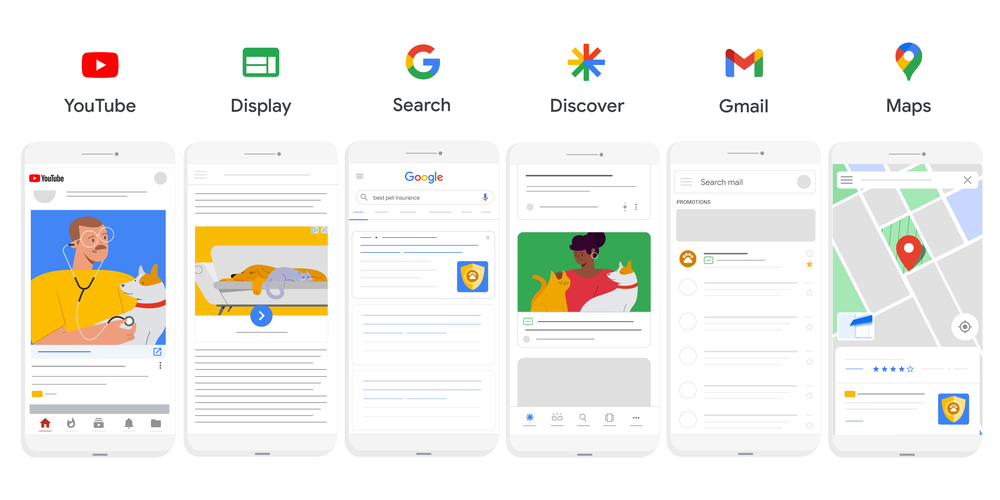
Google offers smart campaigns called Performance Max in the Google Shopping service, which show high results thanks to built-in intelligent algorithms and machine learning. Based on the advertiser’s goals, smart campaigns independently determine the best platforms for advertising and set the bids. However, to make Google’s smart advertising effective, it’s not advisable to launch a large number of campaigns immediately. The algorithm needs at least half a month to process clicks and gather and analyze information.
As we can see, the effectiveness and success of a Google campaign lie not just in being visible to the buyer but in being relevant and attractive to your specific target audience. This requires a well-thought-out strategy and smart Google Shopping settings.